License
This page introduces how to activate BladePipe On-Premise.
Terminology
- Apply Code: A unique code for applying for a license.
- License: A license is used to activate BladePipe On-Premise, including the authorization duration and number of authorized links.
Install BladePipe On-Premise
- Log in to BladePipe.
- Click Try Community Free, and install BladePipe following the instruction in Install All-In-One (Docker).
Get Apply Code
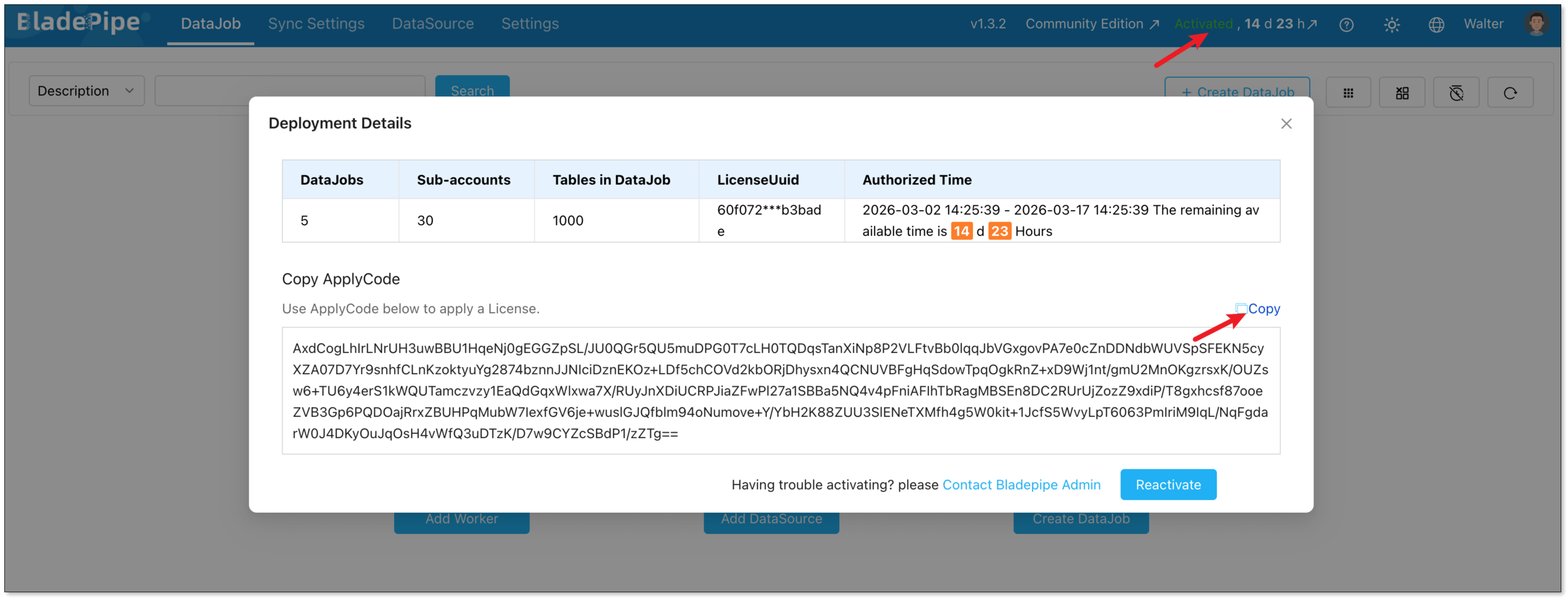
- Log in to the BladePipe Console and click Inactivated/Activated.
- An Apply Code is shown in the Deployment Details dialog. Click Copy to copy the code.
Get a License
Log in to BladePipe, and click Get a License.
For on-premise deployment, BladePipe offers Community, Enterprise Trial and Enterprise plans. You can get the according license following the steps.
- Community/Trial License
- Enterprise License
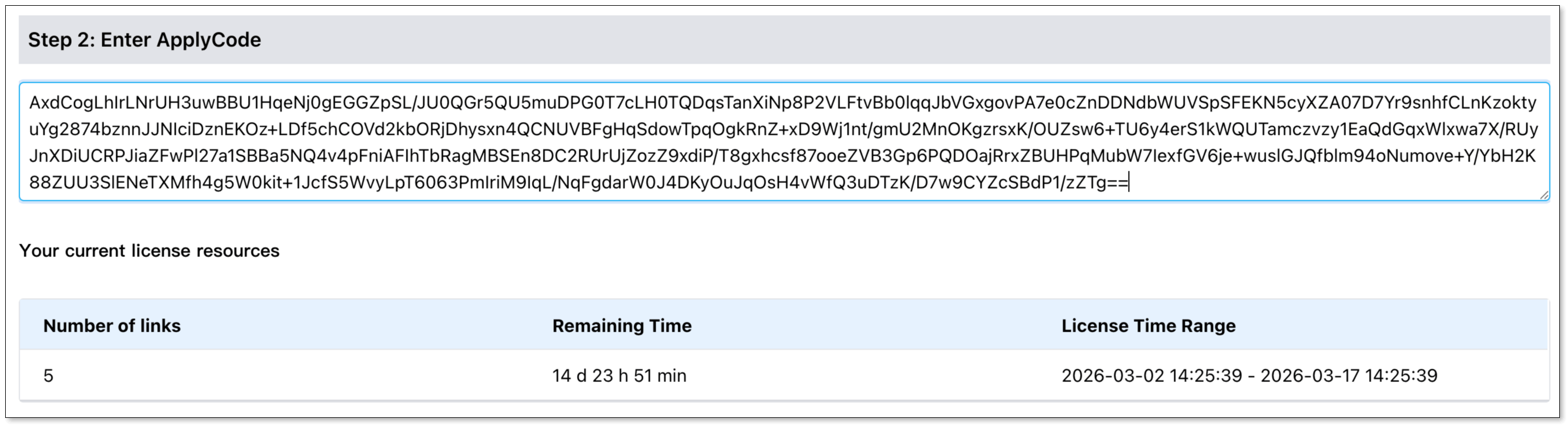
- In Step 2, paste the Apply Code in the box.
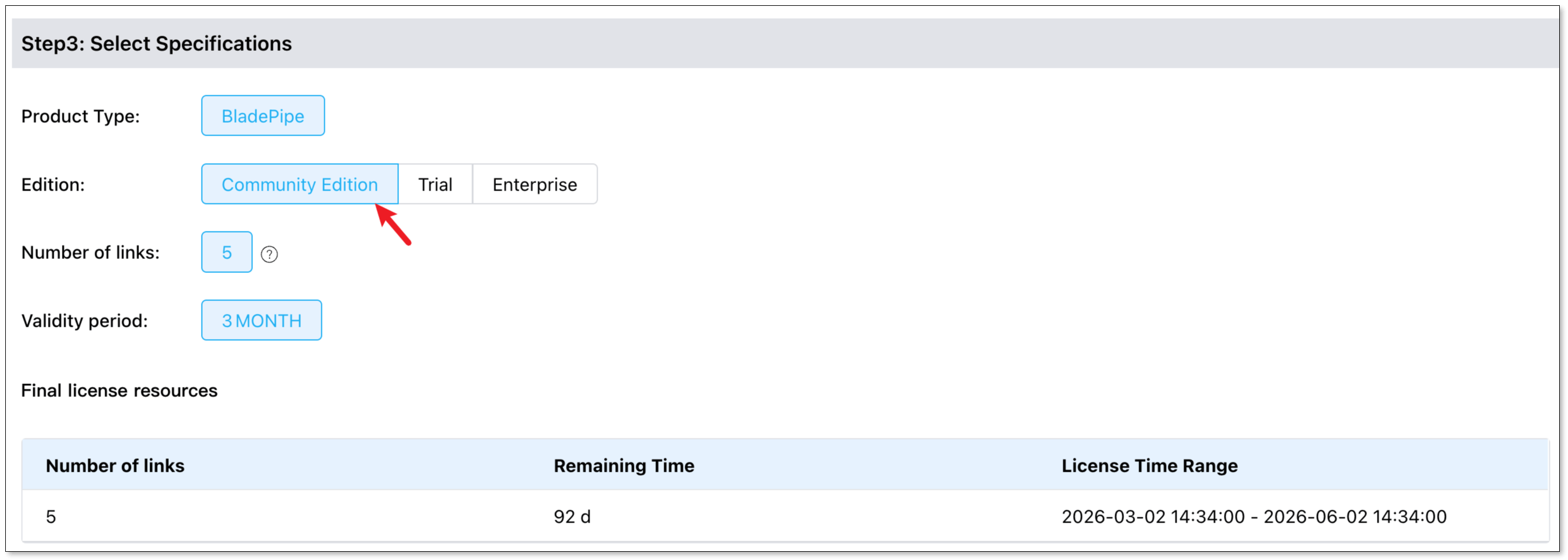
- In Step 3, select Community Edition.
- Click Proceed to Payment.
- In the License list, click View to check the license.
- In the View the License dialog, click Get Email Code, and enter the code.
- Click Copy to copy the license.
- In Step 2, paste the Apply Code in the box.
- In Step 3, select Enterprise Edition, and the number of links and validity period. For more details, please check Pricing.
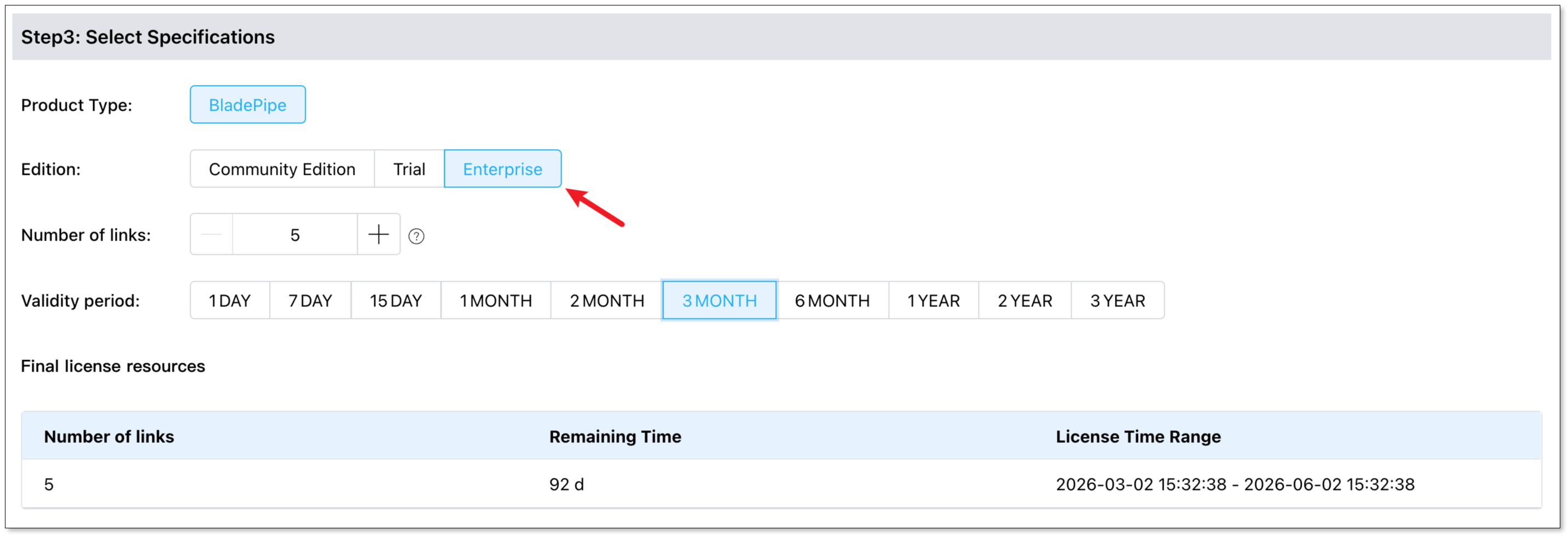
- Click Proceed to Payment.
- In the License list, click View to check the license.
- In the View the License dialog, click Get Email Code, and enter the code.
- Click Copy to copy the license.
Activate BladePipe
- Go back to BladePipe Console.
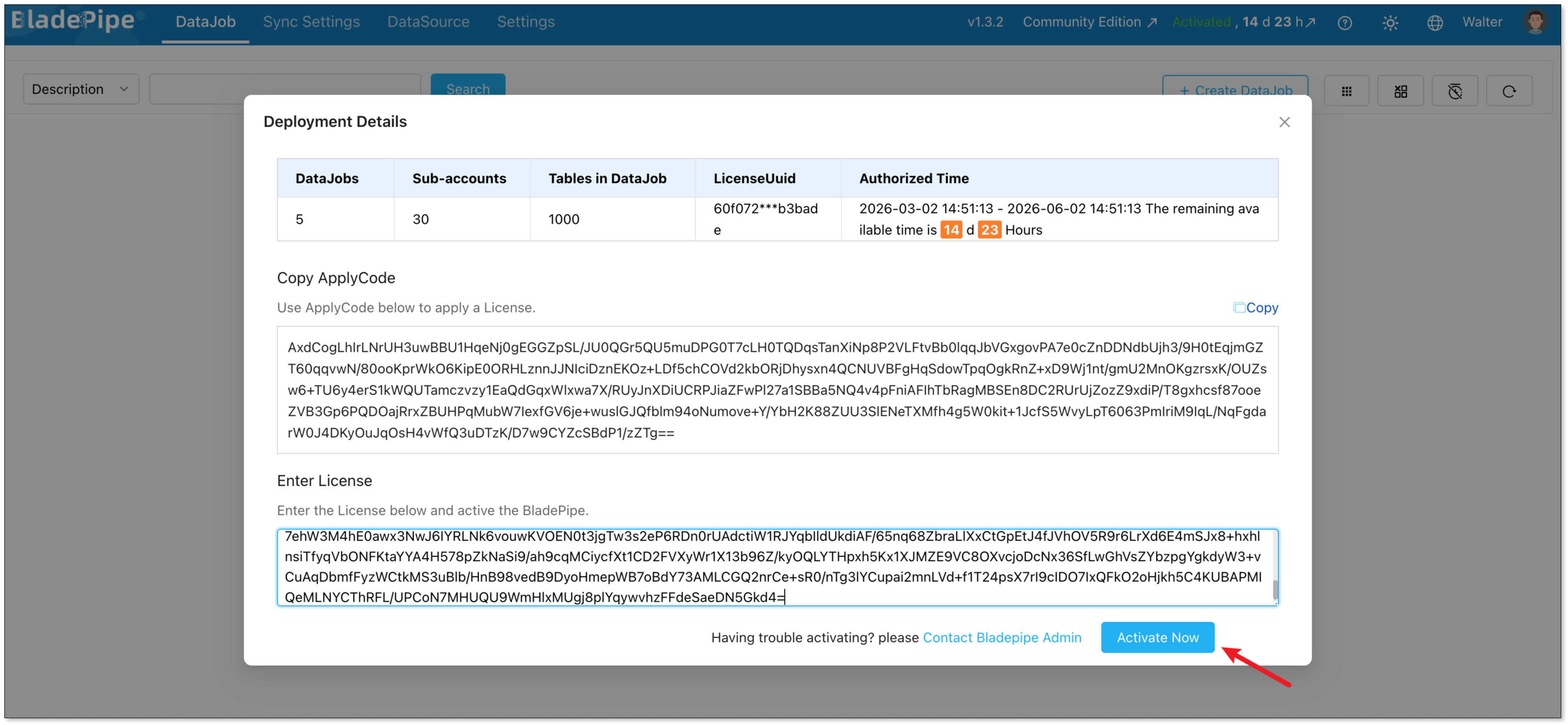
- In the Deployment Details dialog, paste the license to the Enter License box, and click Activate Now.
If BladePipe is in Activated status, you can click Reactivate and the Enter License box will appear.
 信息
信息You can click Activated to check the details of the license authorization.
Please renew your Community license before it expires, otherwise it will affect the running DataJobs.
For Enterprise license, please contact us for renewal support or renew it by yourself before the license expires.