Data Transformation in ETL:Types, Examples and Benefits

ETL (Extract, Transform, Load) is a fundamental process in data integration and data warehousing. In this process, data transformation is a key step. It’s the stage where raw, messy data gets cleaned up and reorganized so it’s ready for analysis, business use and decision-making.
In this blog, we will break down data transformation to help you better understand and process data in ETL.
What is Data Transformation in ETL?
In the ETL process, data transformation is the middle step that turns extracted data from various sources into a consistent, usable format for the target system (like a data warehouse or analytics tool). This step applies rules, logic, and algorithms to:
- Clean up errors and inconsistencies
- Standardize formats (like dates and currencies)
- Enrich data with new calculations or derived fields
- Restructure data to fit the needs of the business or target system
Without transformation, data from different sources would be incompatible, error-prone, or simply not useful for downstream processing like reporting, analytics, or machine learning.
Why is Data Transformation Important?
- Ensure Data Quality: Fix errors, fill in missing values, and remove duplicates so the data is accurate and trustworthy.
- Improve Compatibility: Convert data into a format compatible with the target system, and handle schema differences, which are vital for combining data from different sources.
- Enhance Performance & Efficiency: Filter unnecessary data early, reducing storage and processing costs. Optimize data structure through partitioning and indexing for faster queries.
- Enable Better Analytics & Reporting: Aggregate, summarize, and structure data so it’s ready for dashboards and reports.
10 Types of Data Transformation
Here are the most common types of data transformation you’ll find in ETL pipelines, with simple explanations and examples:
| Transformation Type | Explanation | Example/Use Case |
|---|---|---|
| Data Cleaning | Remove errors and fixes inconsistencies to improve quality | Replace missing values in a "Country" column with "Unknown" |
| Data Mapping | Match source data fields to target schema so data lands in the right place | Map “cust_id” from source to “customer_id” in target |
| Data Aggregation | Summarize detailed data into a higher-level view | Sum daily sales into monthly totals |
| Bucketing/Binning | Group continuous data into ranges or categories for easier analysis | Group ages into ranges (18–25, 26–35, etc.) |
| Data Derivation | Create new fields by applying formulas or rules to existing fields | Derive "Profit" by subtracting "Cost" from "Revenue" in a sales dataset |
| Filtering | Select only relevant or necessary records | Filter out only 2024 sales records from the entire sales table |
| Joining | Combine data from multiple sources or tables based on a common key | Join a "Customers" table with an "Orders" table on "CustomerID" to analyze order history |
| Splitting | Break up fields into multiple columns for granularity or clarity | Split “Full Name” into “First Name” and “Last Name” |
| Normalization | Standardize scales or units | Convert currencies to USD |
| Sorting and Ordering | Arrange records based on one or more fields, either ascending or descending | Sort a customer list by "Signup Date" in descending order to identify recent users |
Automate Data Transformation with BladePipe
BladePipe is a real-time end-to-end data replication tool. It supports various ways to transform data. With a user-friendly interface, complex end-to-end transformations can be done in a few clicks.
Compared with tranditional data transformation ways, BladePipe offers the following features:
-
Real-time Transformation: Any incremental data is captured, transformed and loaded in real time, critical in projects requiring extremely low latency.
-
Flexibility: BladePipe offers multiple built-in transformation without manual scripting requirements. For special transformation, custom code can cater to personalized needs.
-
Ease of Use: Most operations are done in an intuitive interface with wizards. Except transformation via custom code, the other data transformations don't require any code.
Data Filtering
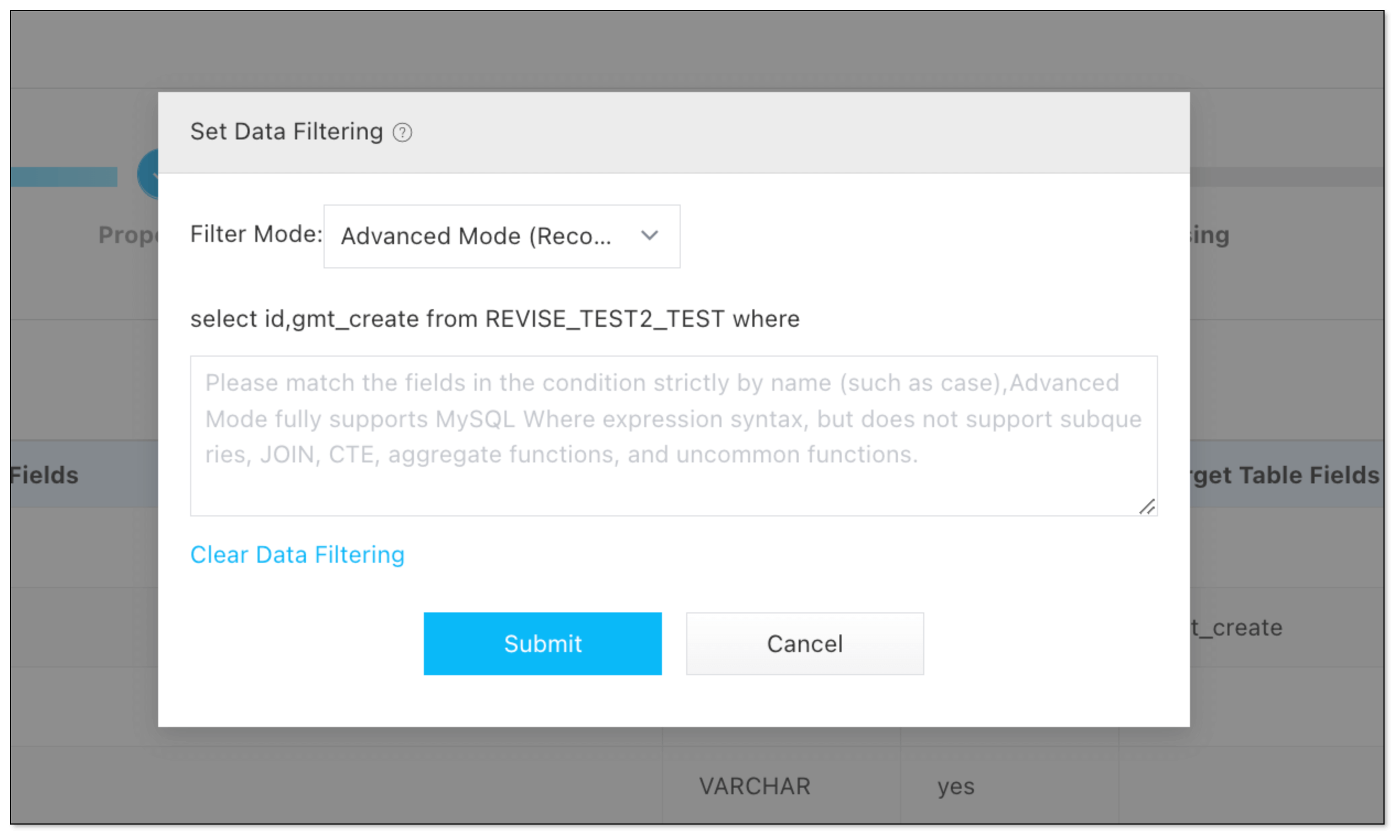
BladePipe allows to specify a condition to filter out data by SQL WHERE clause, so that only relevant records are processed and loaded, improving the ETL performance.
Data Cleaning
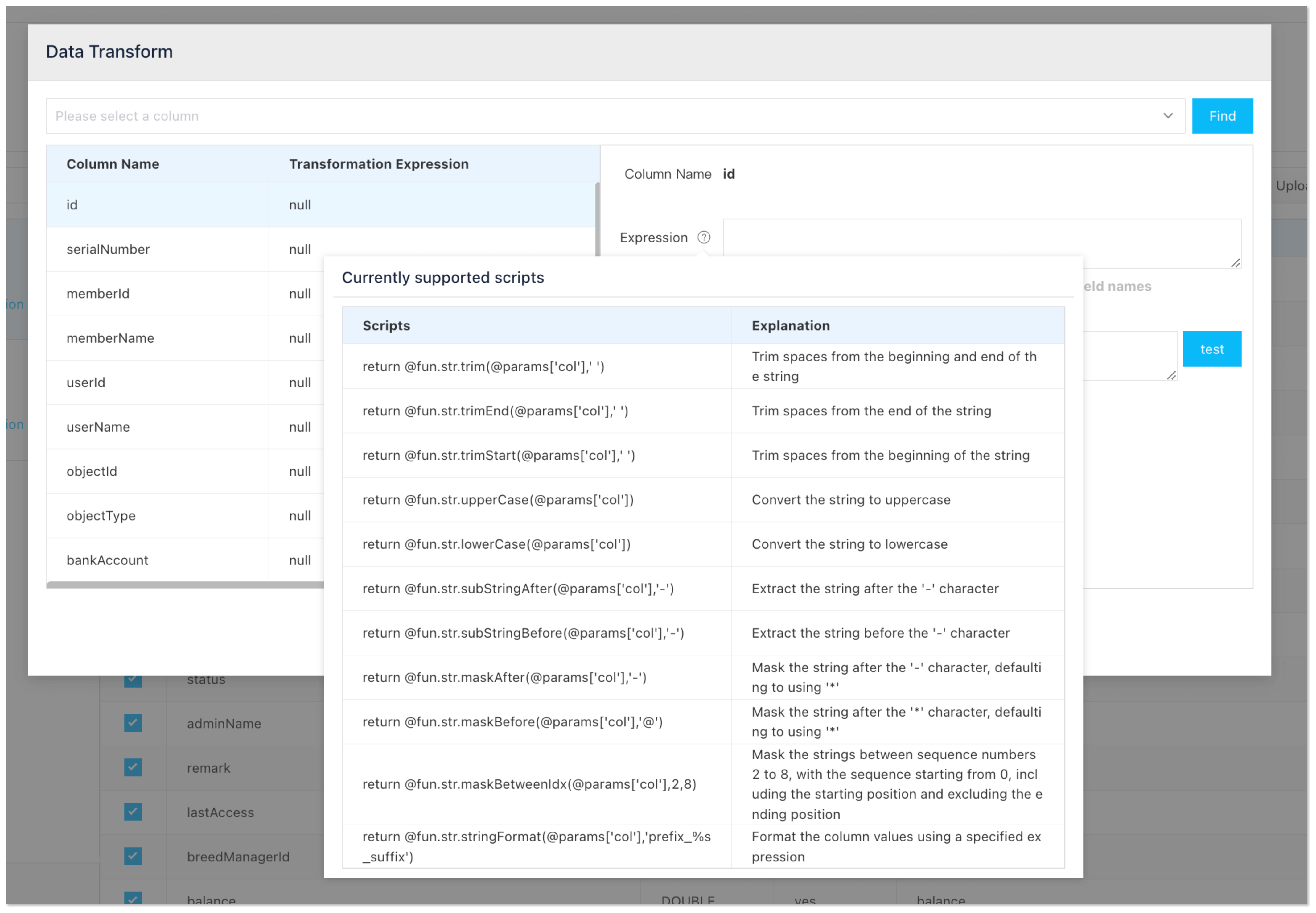
BladePipe has several built-in data transformation scripts, covering common use cases. For example, you can simply remove leading and trailing spaces from strings, standardizing the data format.
Data Mapping
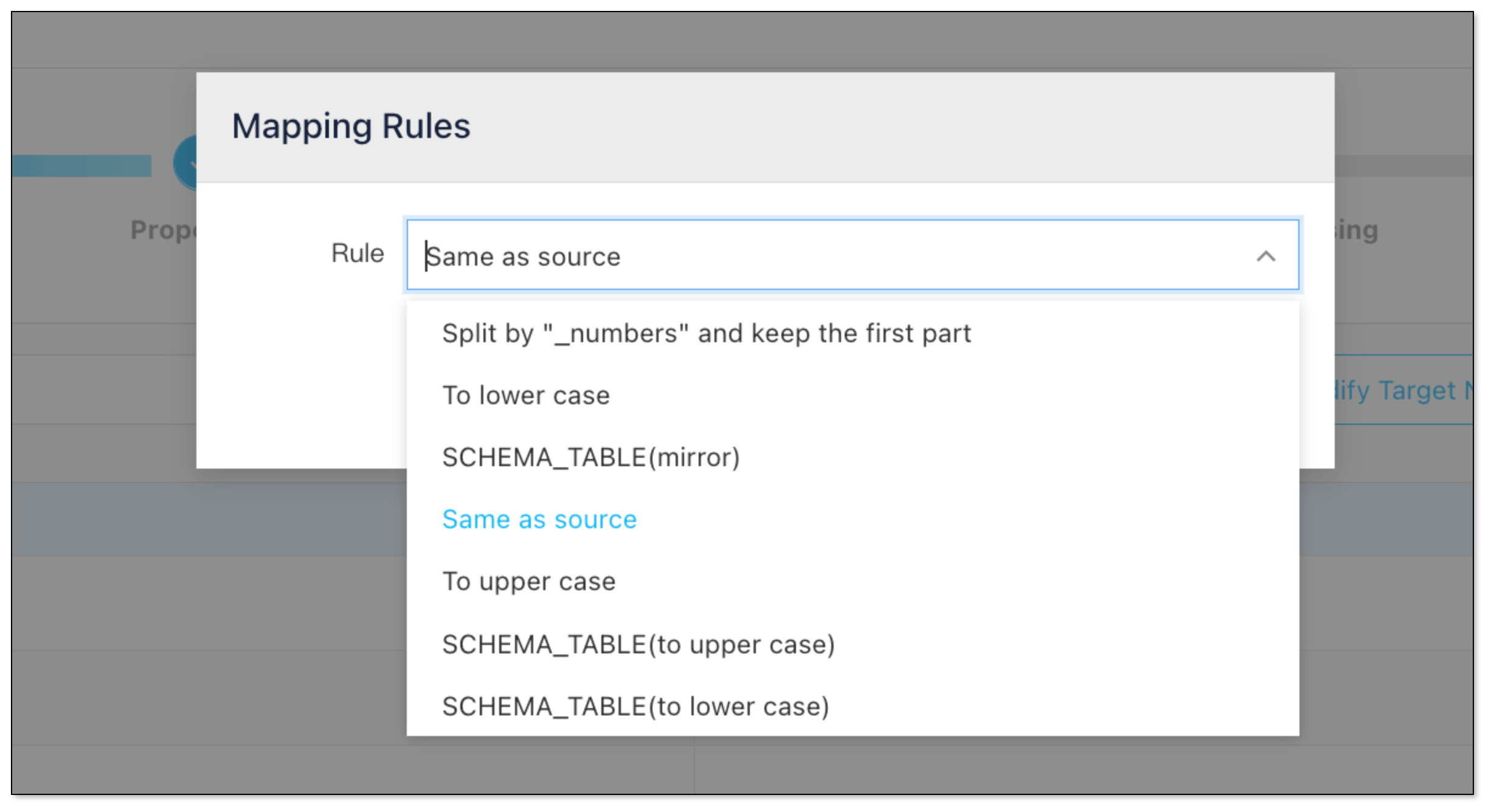
In BladePipe, the table names and field names can be mapped to the target instance based on certain rules. Besides, you can name each table as you like.
Wrapping Up
Data transformation is the engine that powers the effective ETL process. By cleaning, standardizing, and enriching raw data, it ensures organizations have reliable, actionable information for decision-making. Whether you’re combining sales data, cleaning up customer lists, or preparing data for machine learning, transformation is what makes your data truly useful.