How to Build a Real-Time Lakehouse with BladePipe, Paimon, and SelectDB

Why are so many teams still juggling both a data lake and a warehouse, only to end up with slow pipelines, stale dashboards, and skyrocketing costs?
Data lakes are cheap and flexible for storage but fall short when it comes to fast queries. Warehouses deliver strong analytics but at the price of higher costs and limited adaptability. This split forces companies into a tradeoff they shouldn’t have to make.
The real-time lakehouse offers a way out. In this post, we’ll show how to build a real-time lakehouse from the ground up using BladePipe, Paimon, and SelectDB. By the end, you’ll see how the three work together to deliver an end-to-end pipeline, making data flow easier than ever.
Why Real-Time Lakehouses Matter
Traditional “lake + warehouse” setups have three recurring pain points:
- Slow pipelines: data must first land in the lake, then get transformed via ETL before reaching the warehouse.
- High latency: analytics or dashboards are often delayed by minutes or hours.
- Inconsistent data: what you query in the warehouse doesn’t always match what’s in the lake, discouraging decision-making.
A real-time lakehouse removes these bottlenecks. By combining the low-cost durability of a data lake with the performance of a warehouse, it makes data queryable in seconds instead of hours. Teams can finally have real-time and cost-efficient analytics, without the complexity of running two separate systems.
BladePipe + Paimon + SelectDB: The Core Building Blocks
To bring a real-time lakehouse to life, you need three things: real-time ingestion, unified lake storage, and a fast query engine. Here’s how they come together:
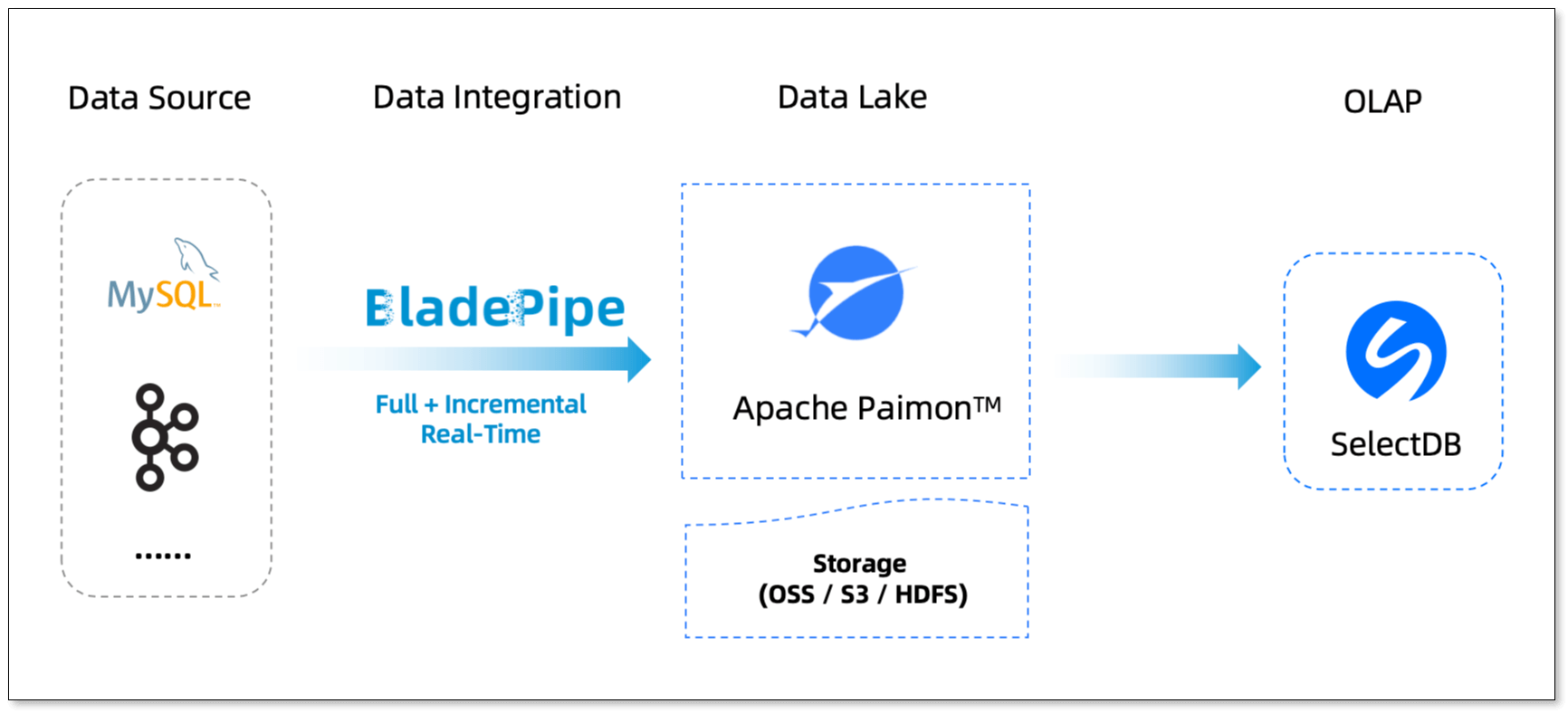
- BladePipe: Real-Time Ingestion
- Capture database changes with CDC (Change Data Capture)
- Support both full data loads and incremental data sync
- Work with 60+ data sources
- Maintain sub-second latency
- Provide a visual UI for setup and monitoring
- Paimon: Unified Lake Storage
- Deliver efficient lake storage
- Support primary-key tables to avoid duplicate data
- Enable schema evolution, compatible with Online DDL
- SelectDB: Fast Analytical Engine
- Seamlessly integrate with Paimon to query lake data directly
- Support real-time analytics and interactive queries
- Optimized for large-scale, multi-dimensional business analysis Together, these tools create an end-to-end pipeline: BladePipe ingests, Paimon stores, SelectDB analyzes.
A Real-World Example: E-Commerce Analytics
Think about an e-commerce platform. Every second, users are browsing, adding items to their carts, placing orders, and making payments. These events are scattered across transactional databases, user systems, and log services.
With a traditional warehouse-based pipeline, this data doesn’t show up until hours later, making it useless for real-time recommendations.
With BladePipe + Paimon + SelectDB, the process becomes:
- Real-Time Ingestion: BladePipe streams changes from multiple databases into Paimon with second-level latency.
- Unified Storage: Paimon organizes orders, users, and logs in a unified, consistent storage layer.
- Real-Time Querying: SelectDB queries Paimon directly, returning results in milliseconds. Recommendation systems and dashboards reflect changes in real time.
As a result, the platform can deliver personalized recommendations while a user is still browsing, or promptly detect high-risk transactions.
Lakehouse From Zero to Real-Time
Here’s how you can build it yourself.
Prepare Tools
- Install BladePipe SaaS: https://www.bladepipe.com/
- Install Paimon: https://paimon.apache.org/
- Install SelectDB: https://www.selectdb.com/
Ingest Data with BladePipe
Add Data Sources
- Log in to the BladePipe Cloud.
- Click DataSource > Add DataSource, and add MySQL and Paimon instances.
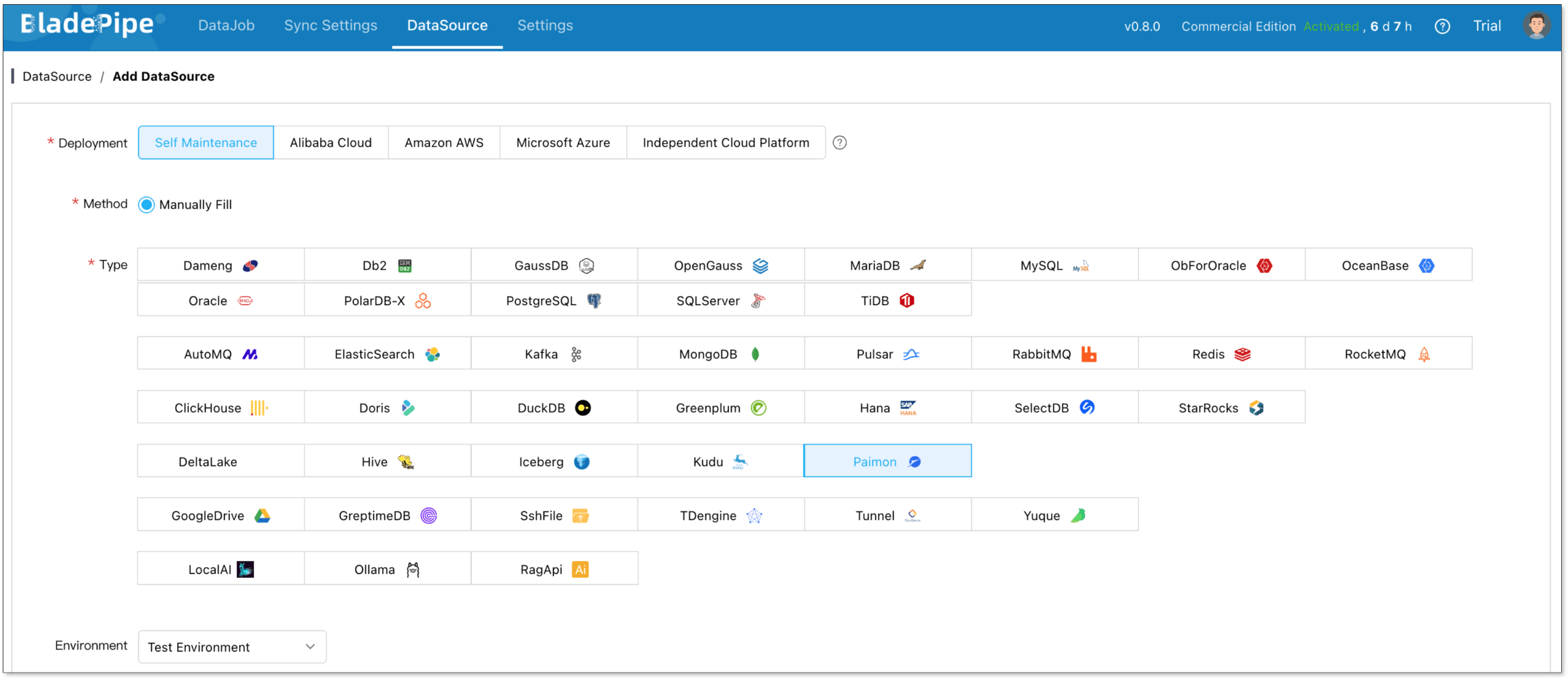
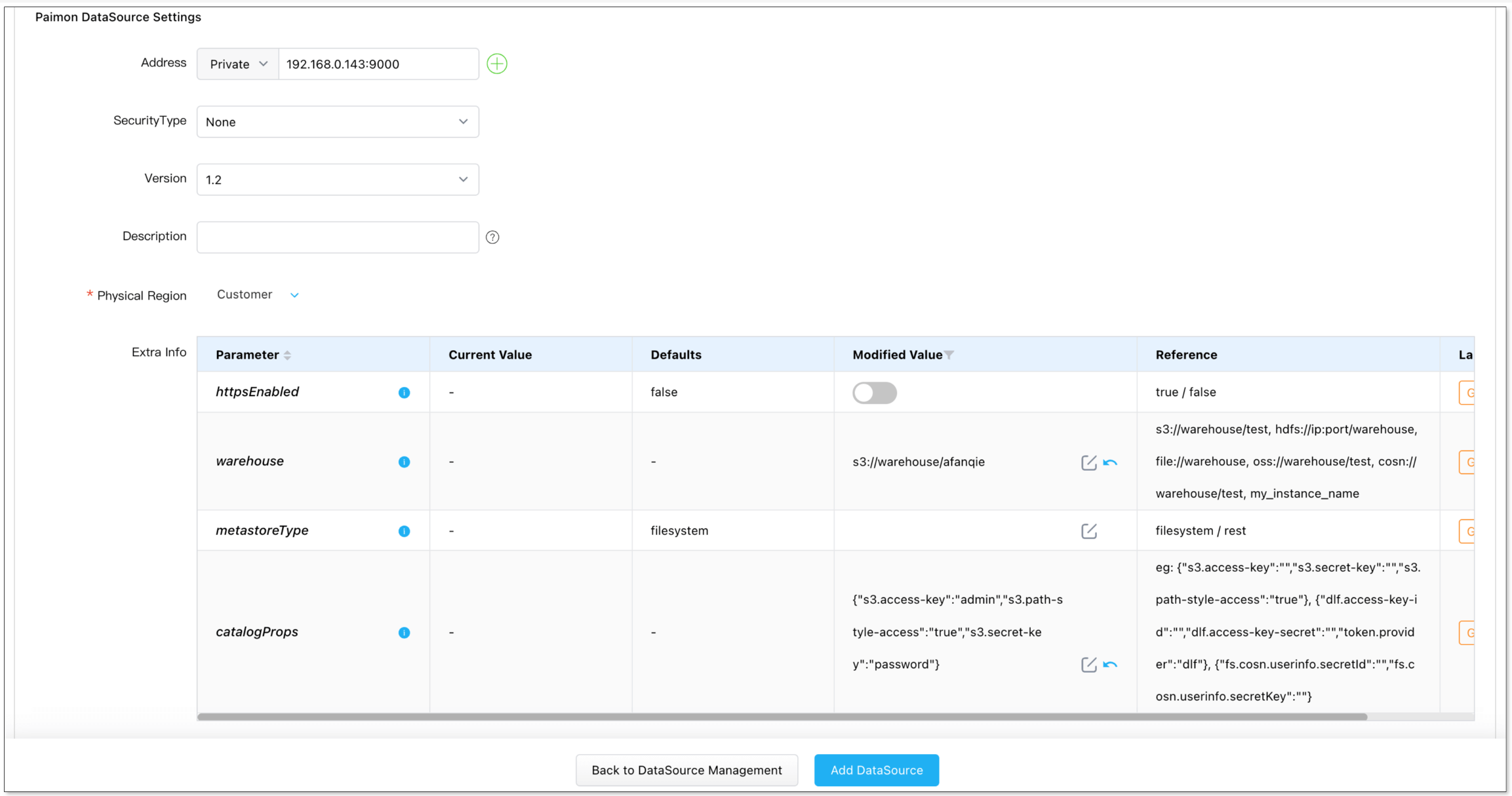
- When adding a Paimon instance, special configuration is required. See Add a Paimon DataSource.
Create a Sync Task
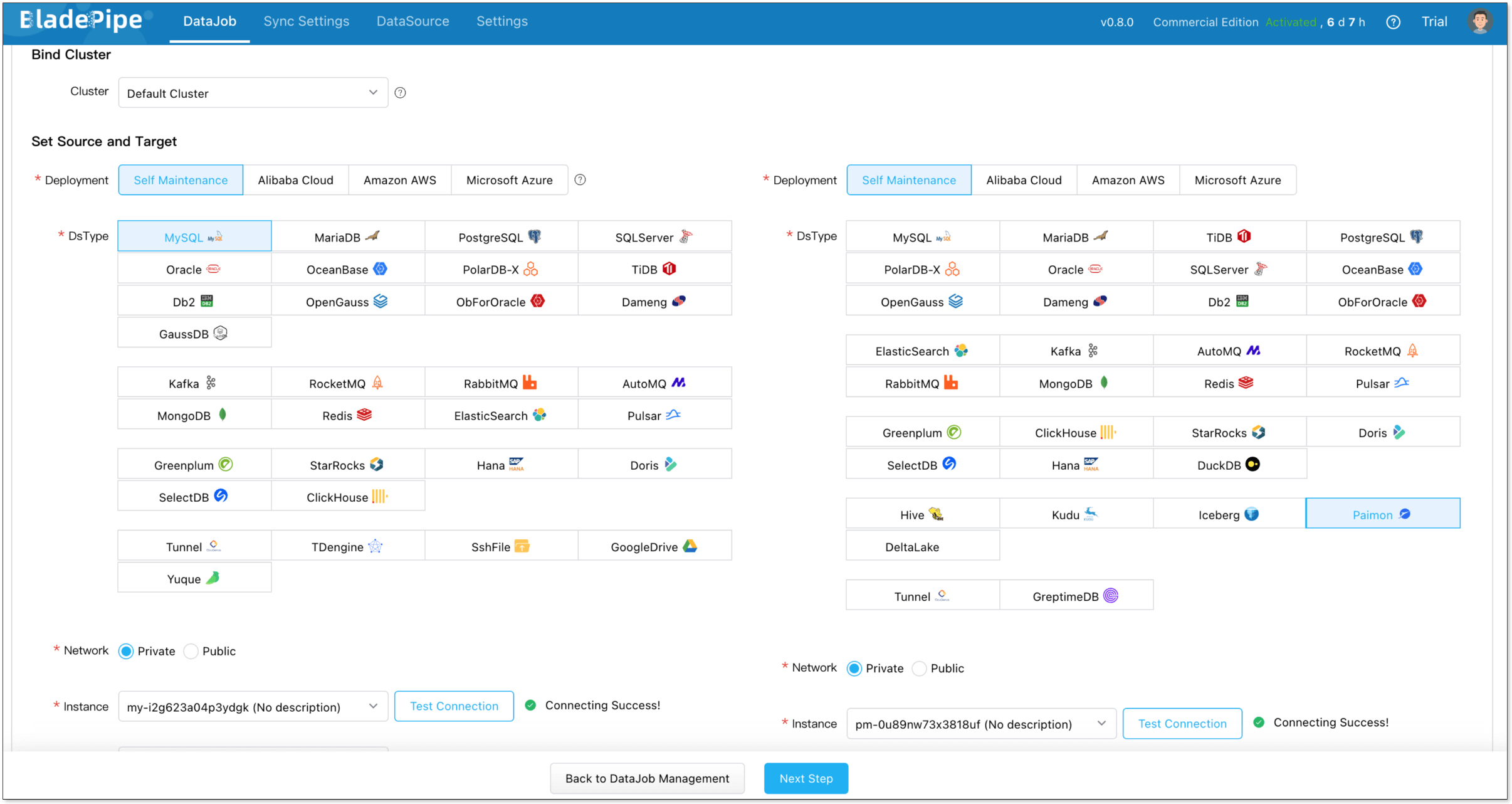
- Click DataJob > Create DataJob.
- Select the source and target DataSources, and click Test Connection to ensure the connection to the source and target DataSources are both successful.
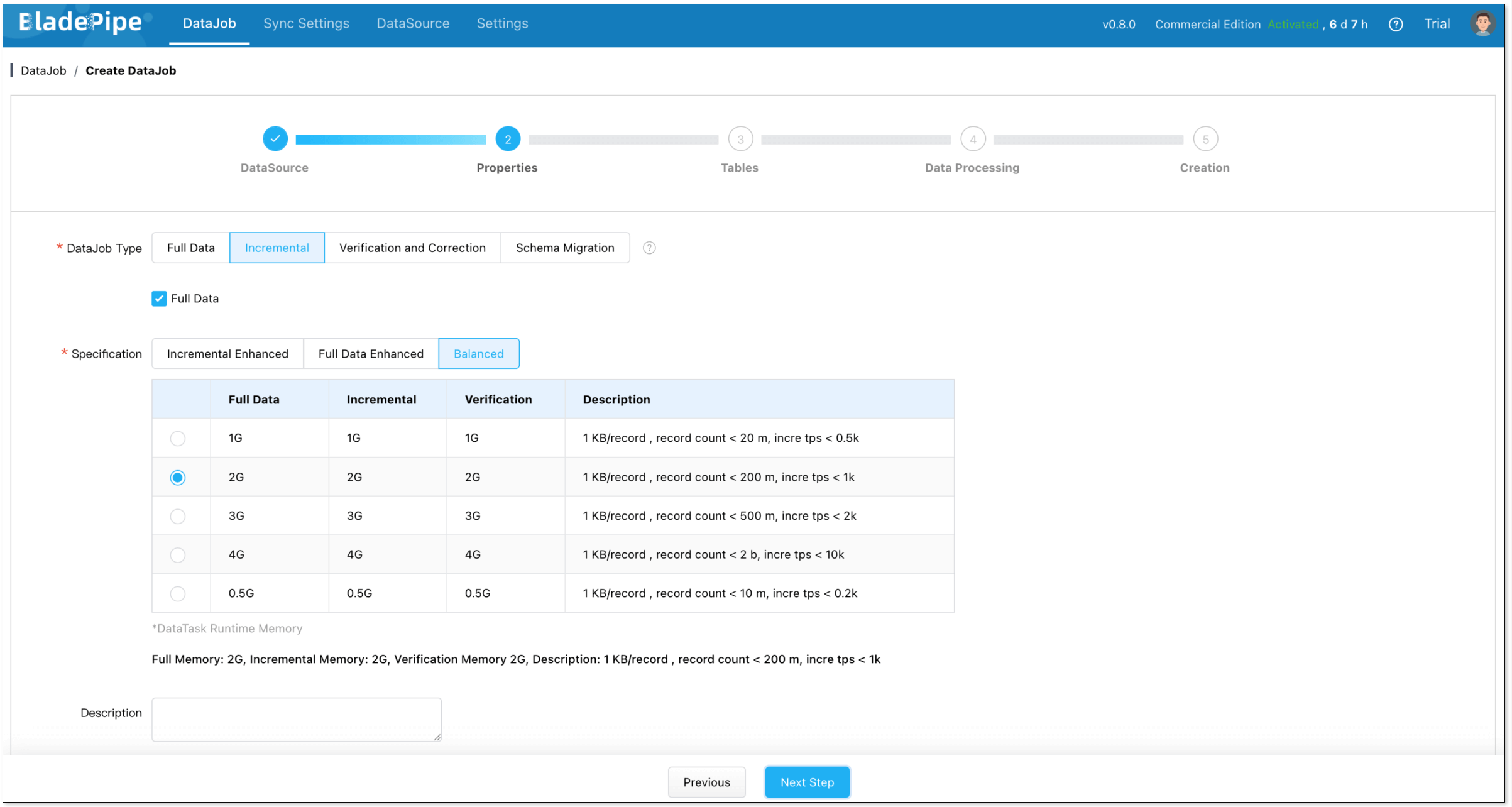
- Select Incremental for DataJob Type, together with the Full Data option.
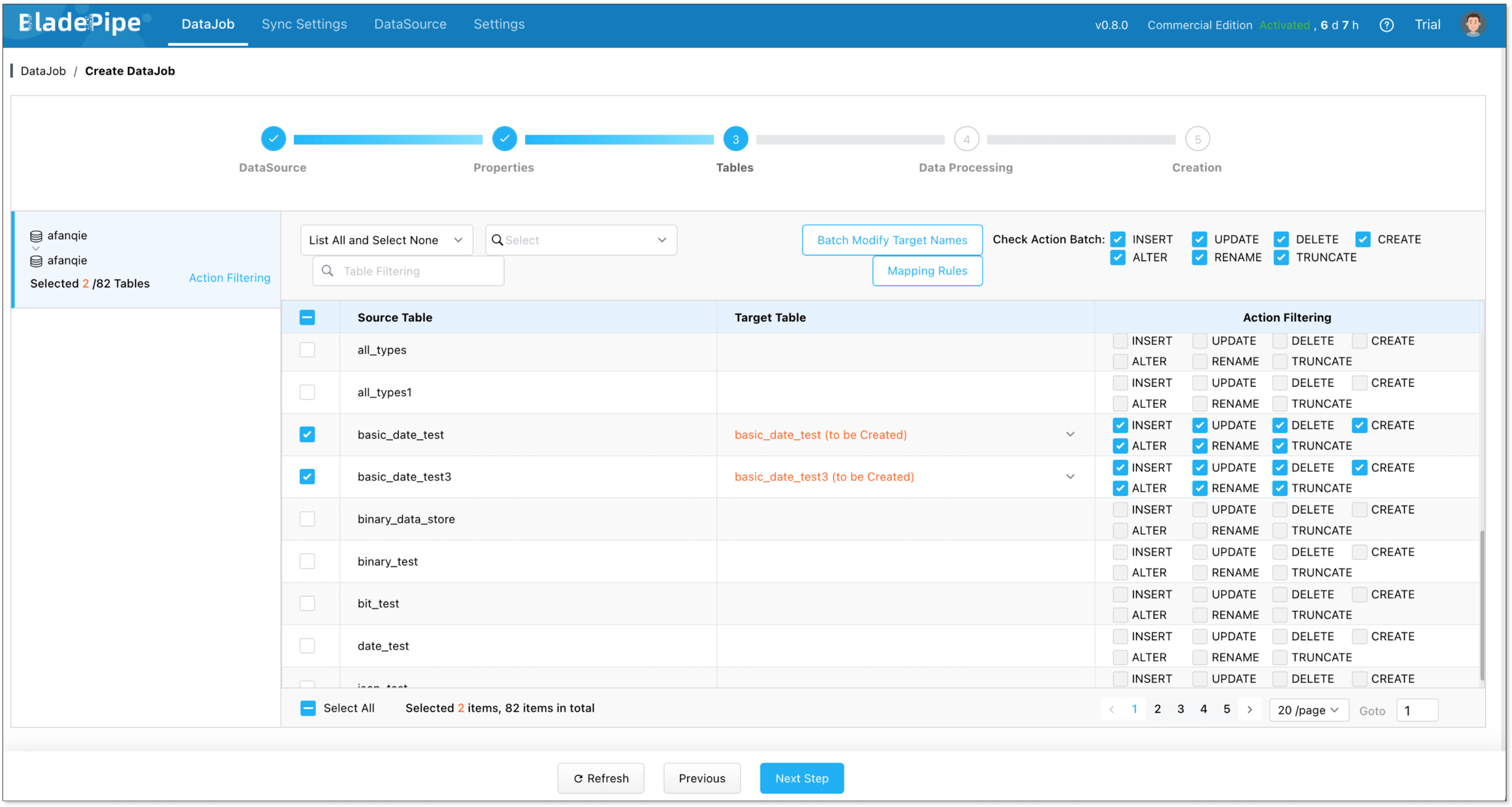
- Select the tables to be replicated.
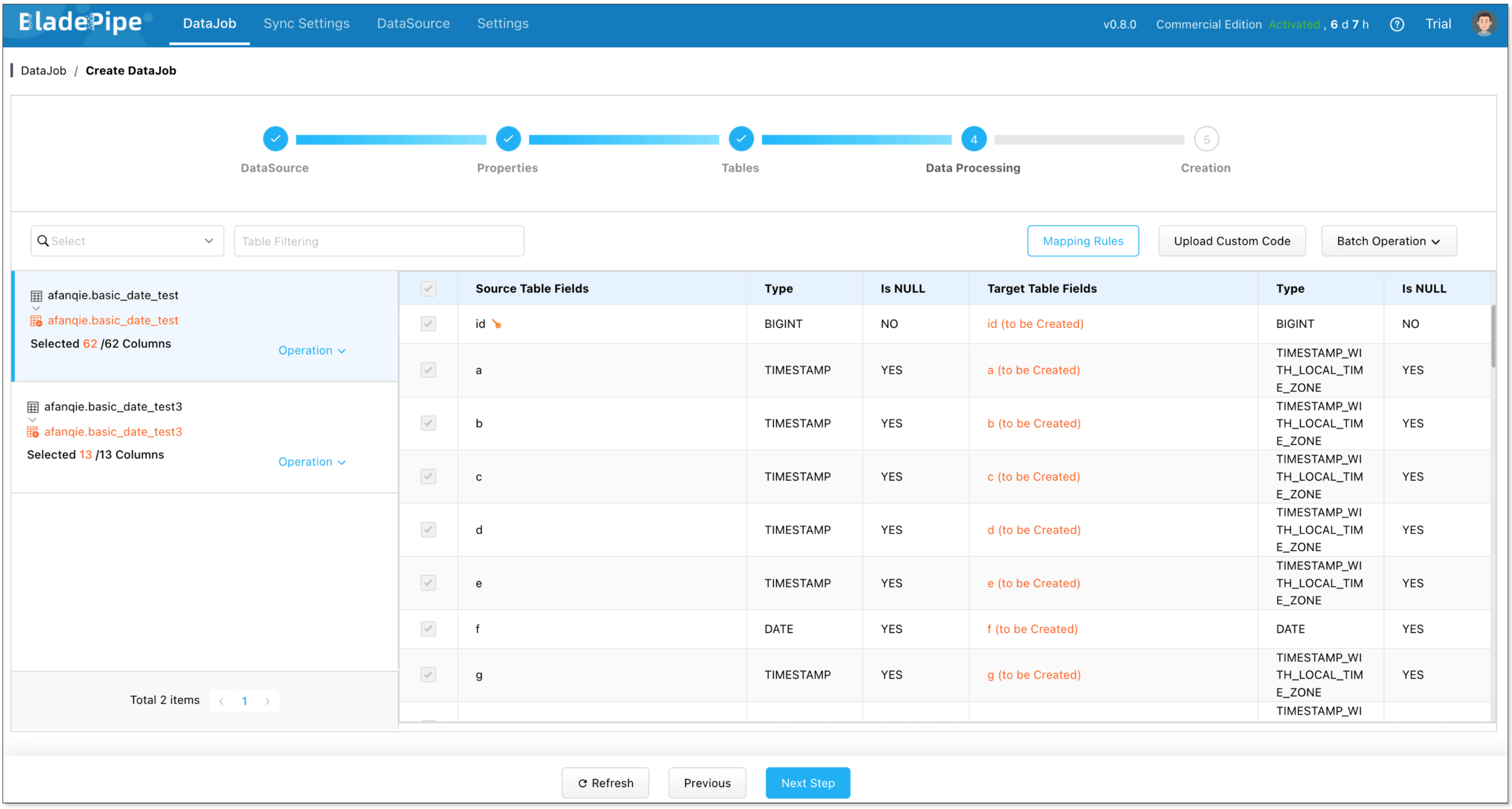
- Select the columns to be replicated.
- Confirm the DataJob creation.
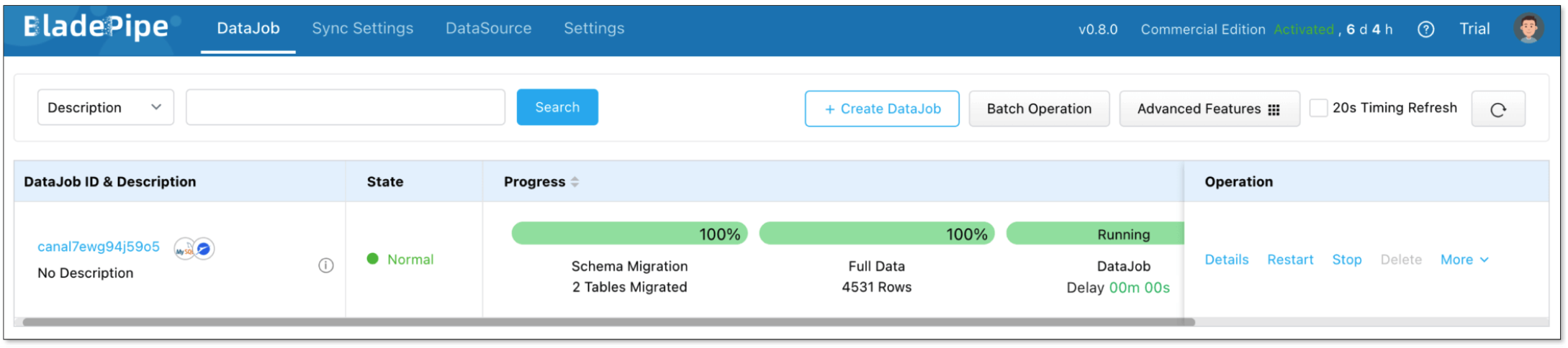
Then, BladePipe loads full data and then streams ongoing changes into Paimon automatically.
Query in SelectDB
SelectDB natively supports the Paimon Catalog. That means you can query Paimon directly, no ETL required.
Next, we will use the database management tool CloudDM to query the data.
- Create Paimon catalog.
CREATE CATALOG catalog_name PROPERTIES (
    'type' = 'paimon',
    'warehouse' = '<paimon_warehouse>'
    "s3.access_key" = "your-access-key",
    "s3.secret_key" = "your-secret-key",
    "s3.endpoint" = "http://minio.example.com:9000"
); - Once the Catalog is created, you can start querying data in Paimon:
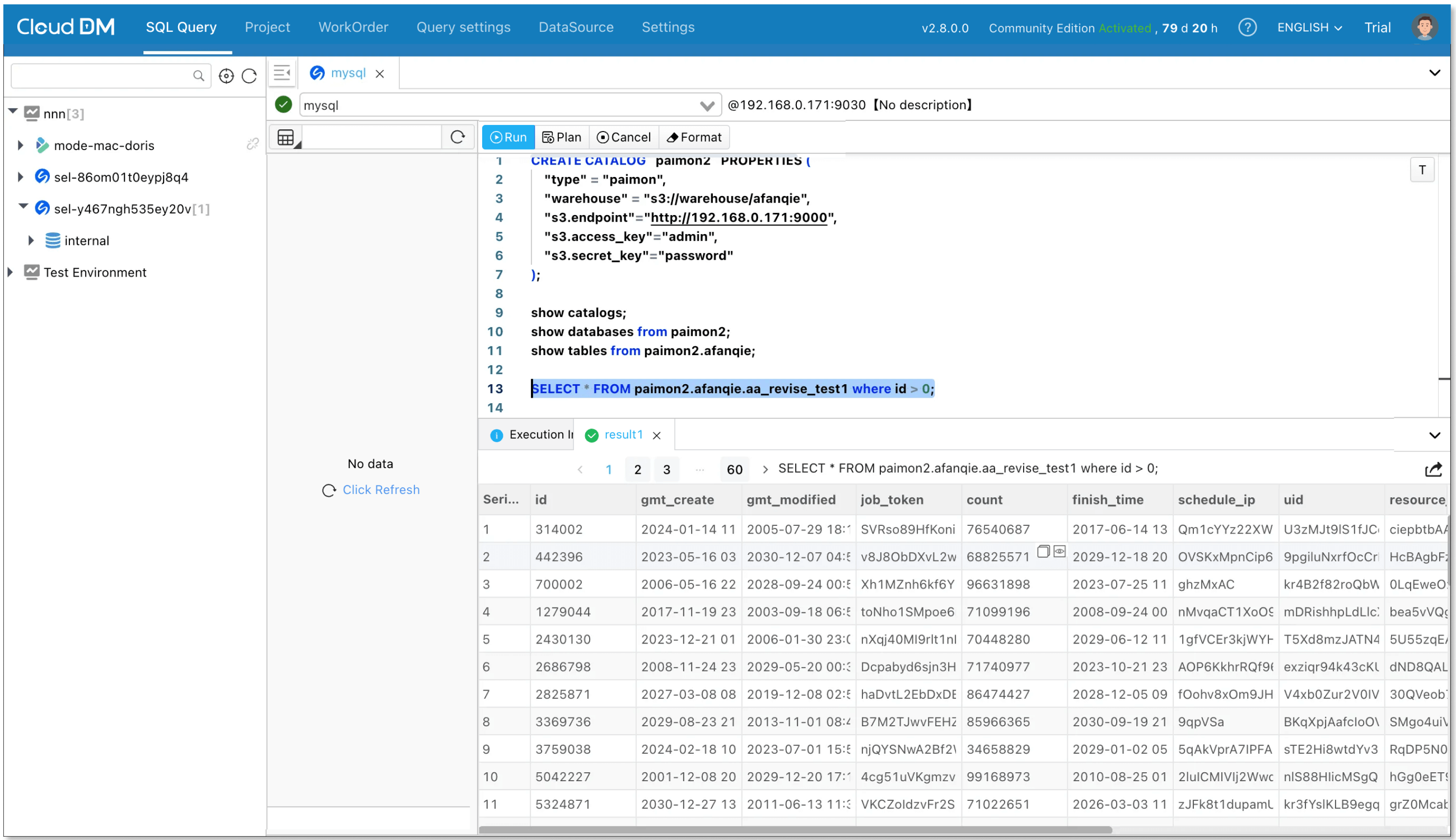
As MySQL data changes, BladePipe syncs it to Paimon, and SelectDB picks it up immediately. That’s true end-to-end real-time analytics with a single pipeline.
Wrapping Up
The choice between a data lake and a warehouse is no longer a choice you need to make. With BladePipe, Paimon, and SelectDB, you can unify ingestion, storage, and analytics into one architecture.
The result is a real-time lakehouse: low-latency, cost-efficient, and built for modern data-driven applications.