Reverse ETL Tool for Incremental Data Sync from Redshift to MySQL

Reverse ETL pushes curated data from a data warehouse to an operational database so downstream teams can actually use it—think CRMs, internal tools, feature stores, and MySQL-backed services.
This guide focuses on one of the most common Reverse ETL use cases: syncing Amazon Redshift to MySQL incrementally. With BladePipe Scheduled Scan, you can run a reliable Redshift → MySQL data pipeline on a fixed interval and keep MySQL refreshed without running a CDC stack.
In this tutorial, you'll set up a Redshift to MySQL Reverse ETL job end-to-end:
- Connect Amazon Redshift and MySQL as DataSources
- Create a Scheduled Scan (Periodic Scan) DataJob
- Enable incremental sync using a timestamp Incremental Field
- Apply settings that keep your Redshift → MySQL sync stable in production
When Scheduled Scan is the right Reverse ETL?
Scheduled Scan is a strong fit for Redshift to MySQL incremental sync when:
- You want a simple operational model (scan on a schedule, write to MySQL).
- A small delay is fine (for example, refresh every 5 minutes).
- Your source tables have a reliable timestamp column you can use for incremental reads (for example,
updated_at).
What is "Scheduled Scan" in BladePipe?
BladePipe Scheduled Scan (Reverse ETL) runs a scan on a fixed schedule and writes the scan results to the target. It's designed for:
- Source systems where CDC isn't available (or isn't worth operating).
- Workloads that refresh on a predictable cadence (every N seconds or minutes).
- "Near real-time" sync where minute-level lag is acceptable.
If you want the full UI walkthrough, read the step-by-step guide following.
How Scheduled Scan does Redshift → MySQL incremental sync
Scheduled Scan supports an Incremental Field:
- The Incremental Field is a time column that acts like a cursor.
- Each cycle, BladePipe reads rows whose time is later than the last completed scan, and writes those rows to MySQL.
Important limitation: an Incremental Field scan does not capture hard deletes from Redshift, because deletes remove rows and there is nothing left to scan.
Practical ways to handle "deletes" in Reverse ETL:
- Soft delete: add
is_deletedordeleted_atand keep syncing incrementally. - Full refresh: for small tables, use Truncate Target so MySQL becomes a periodic snapshot of Redshift.
Before you start (Redshift → MySQL Reverse ETL checklist)
- Pick the Incremental Field in Redshift (usually
updated_ator an ingestion timestamp).- It should be sortable, comparable, and updated on every change you want to push to MySQL.
- Decide how you want MySQL to behave:
- Incremental mirror (fast, no hard deletes), or
- Periodic snapshot (full refresh with Truncate Target).
- Start with a conservative scan interval and tighten later (300 seconds is a practical baseline).
Step-by-step: Create a Redshift to MySQL Scheduled Scan DataJob
If you run into permission errors when connecting to MySQL, verify the required privileges for the MySQL DataSource: Required Privileges for MySQL.
Step 1: Install BladePipe
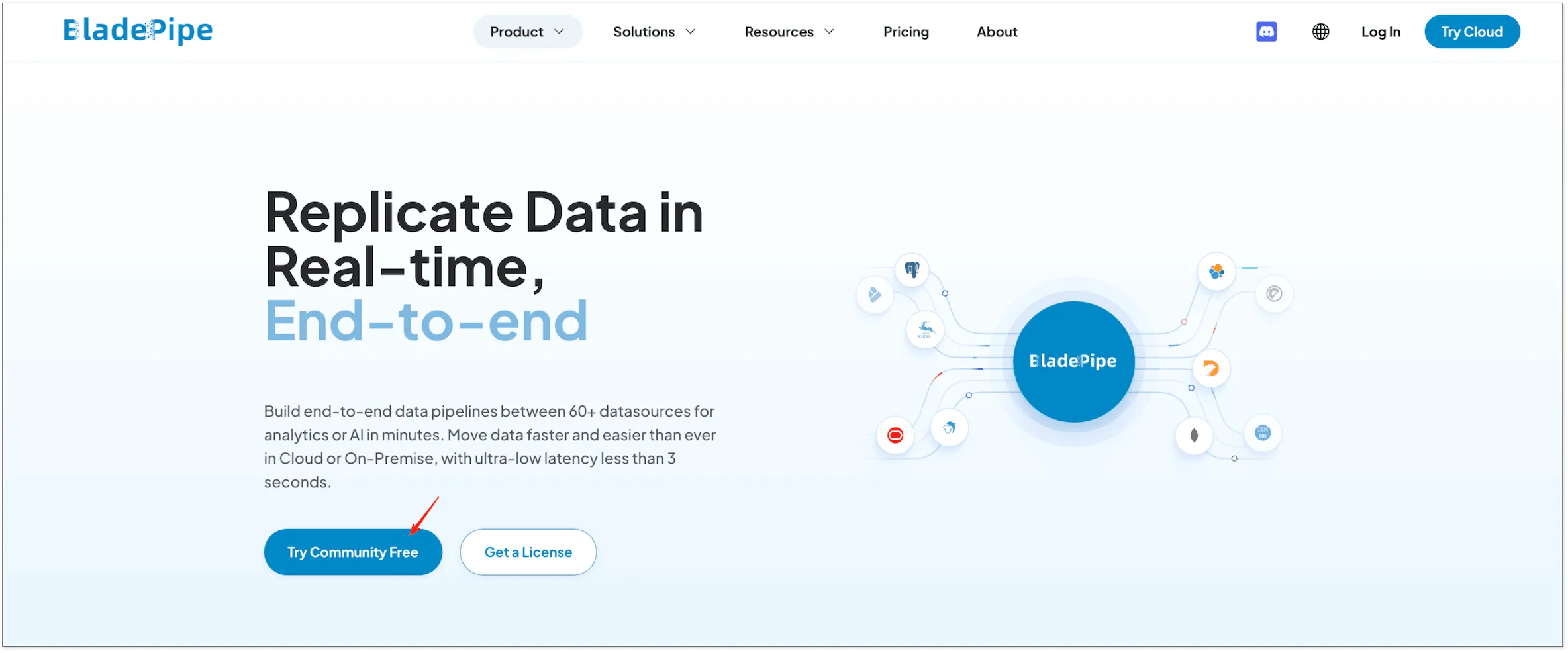
If you haven't installed BladePipe yet, go to the homepage and click "Try Community Free":
Step 2: Add Redshift and MySQL as DataSources
- After installation, navigate to the on-premise console at
http://${ip}:8111. To begin, log in with the following credentials:- Account:
walter.bp@bladepipe.com - Password:
bp_onpremise_2024
- Account:
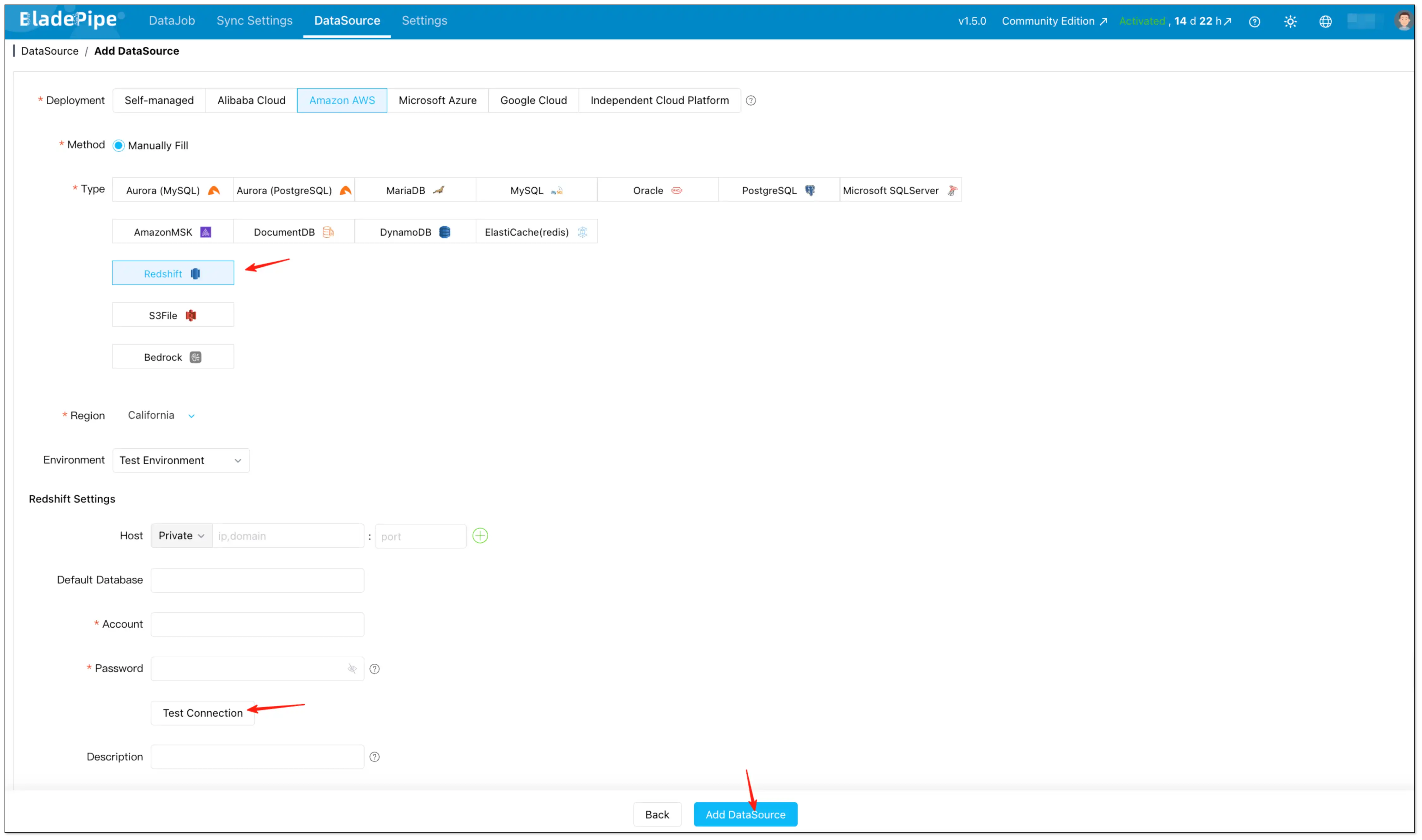
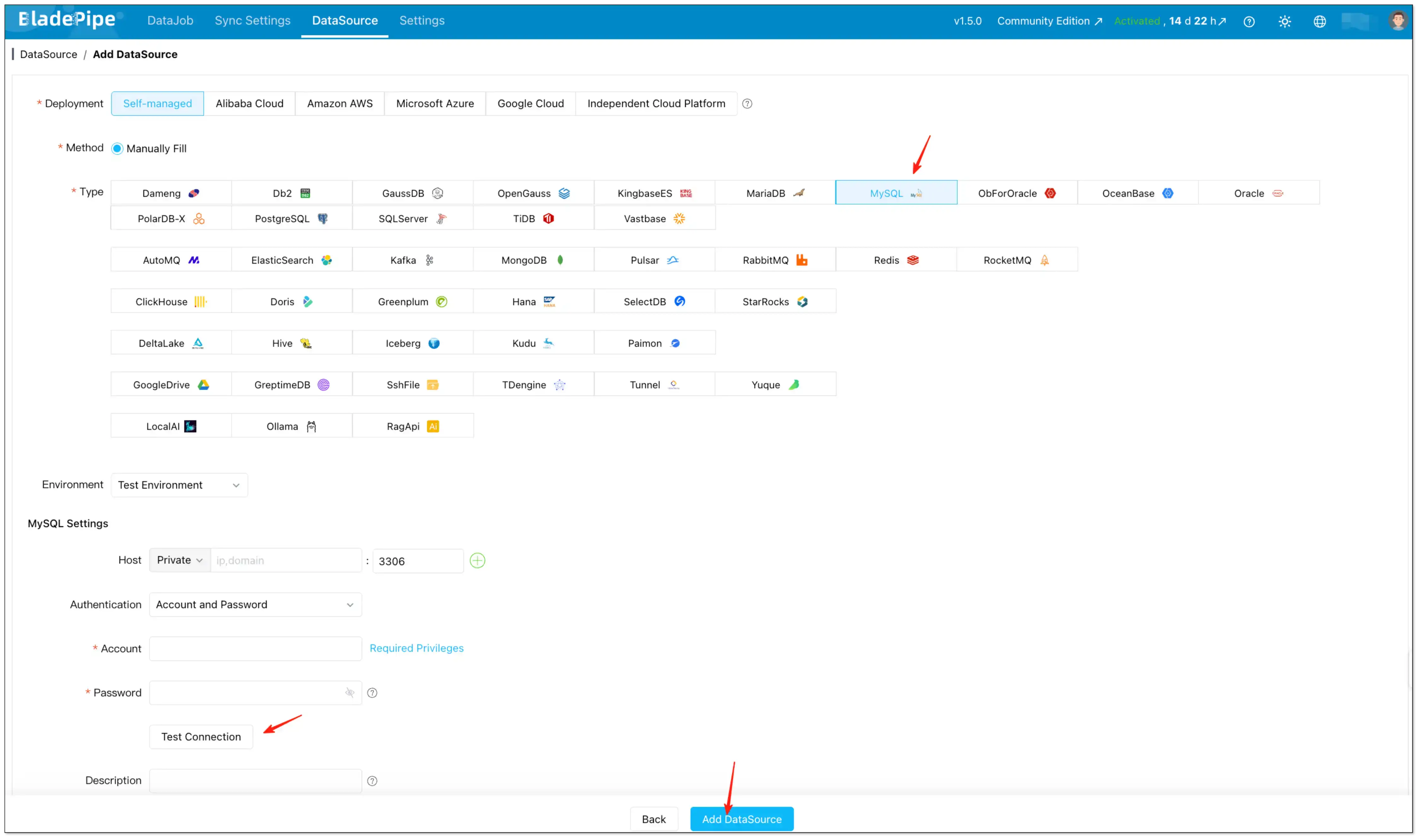
- Go to DataSource → Add DataSource.
- Add Redshift (source) and MySQL (target), then click Test Connection to validate connectivity.
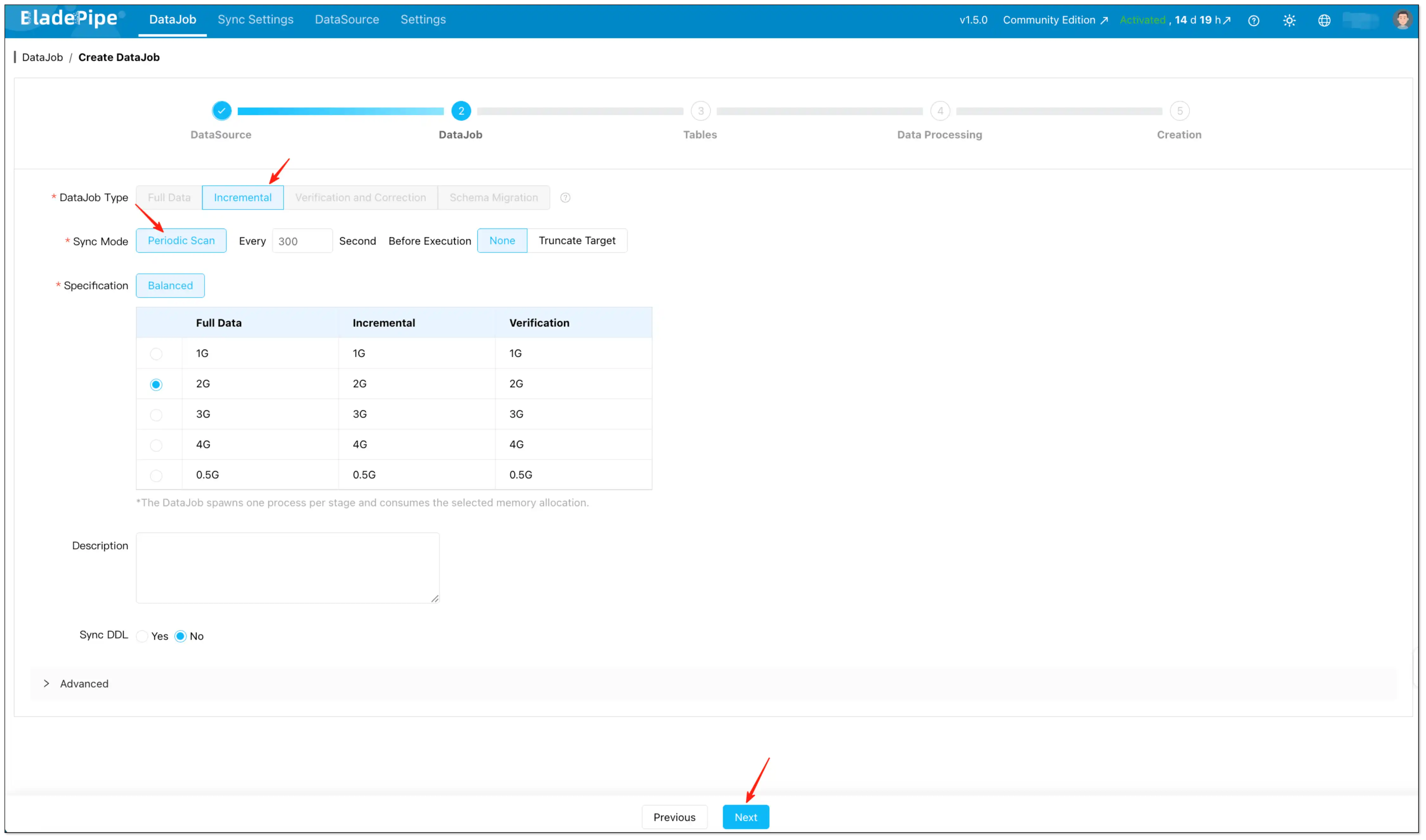
Step 3: Configure the DataJob (Scheduled Scan / rETL)
- Go to DataJob and start creating a new DataJob.
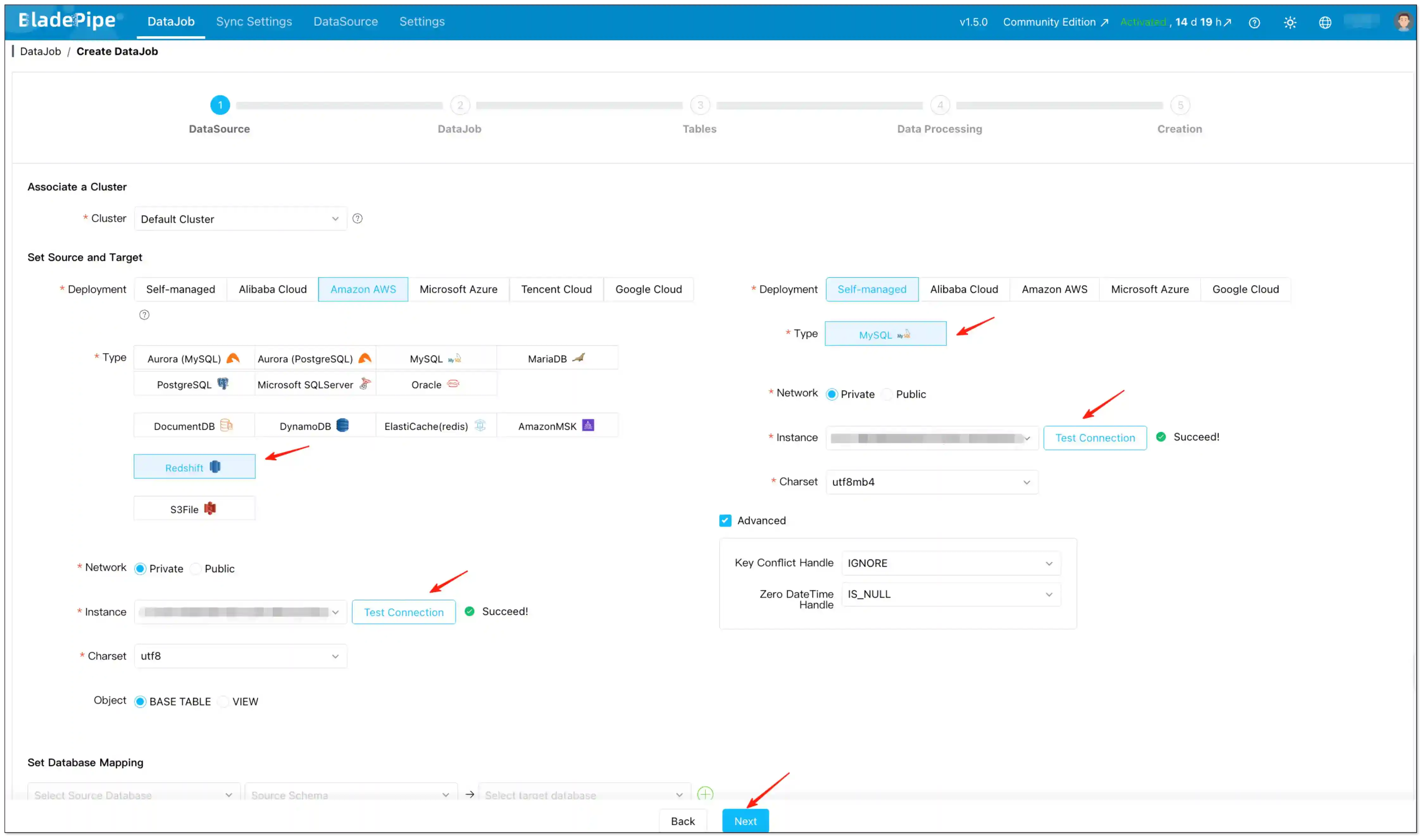
- Select:
- DataJob Type: Incremental
- Sync Mode: Periodic Scan
- Set the key parameters:
- Interval: how often the scan runs (default is 300 seconds).
- Pre-execution Action:
- Choose None for incremental sync using an Incremental Field.
- Choose Truncate Target if you want a full refresh per scan (useful when you need deletions reflected and the table is small enough).
Step 4: Select tables
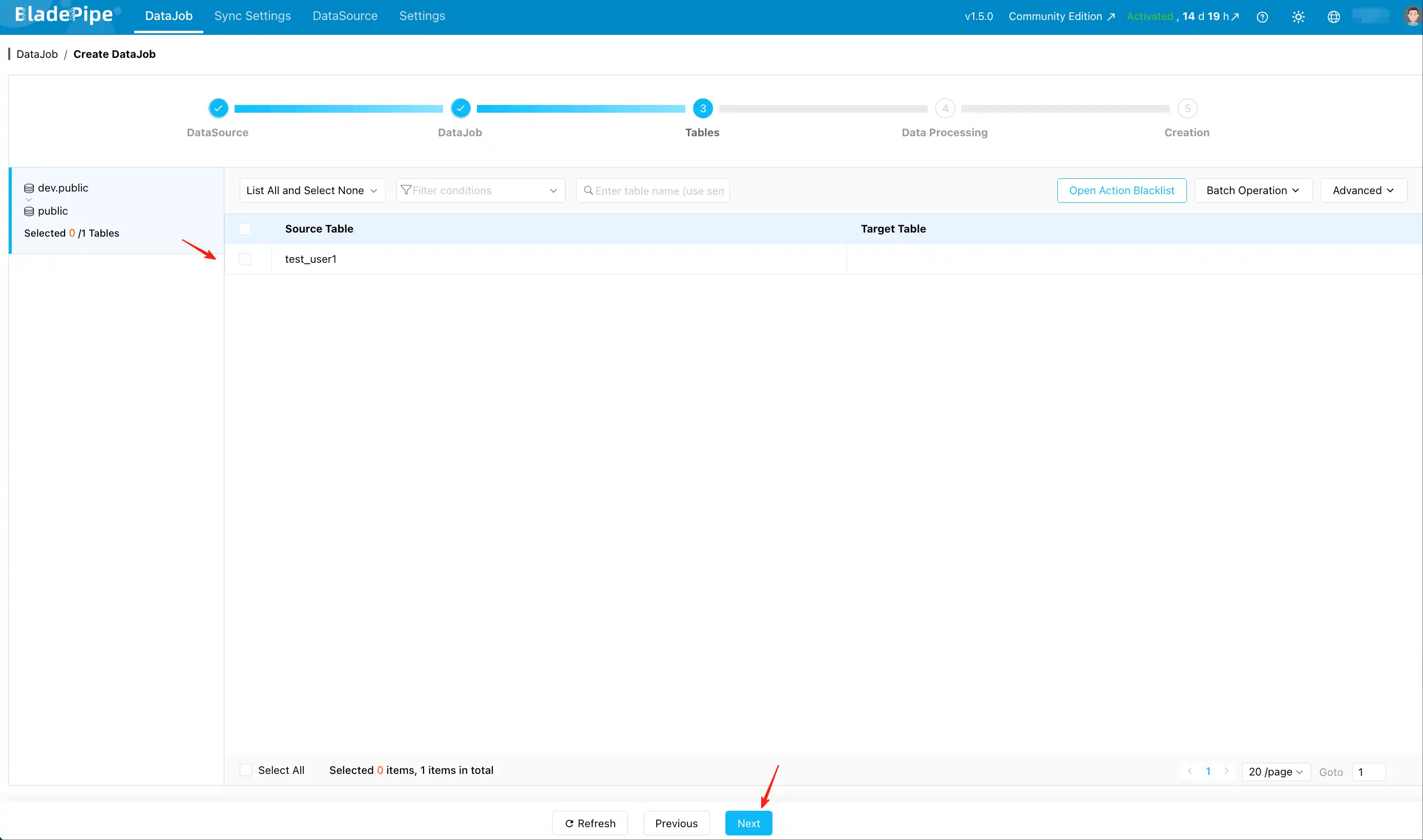
- On the Tables page, select the Redshift tables you want to sync to MySQL.
- (Optional) Use Open Action Blacklist if you need to filter specific operations.
Step 5: Configure Incremental Field (the key to "incremental")
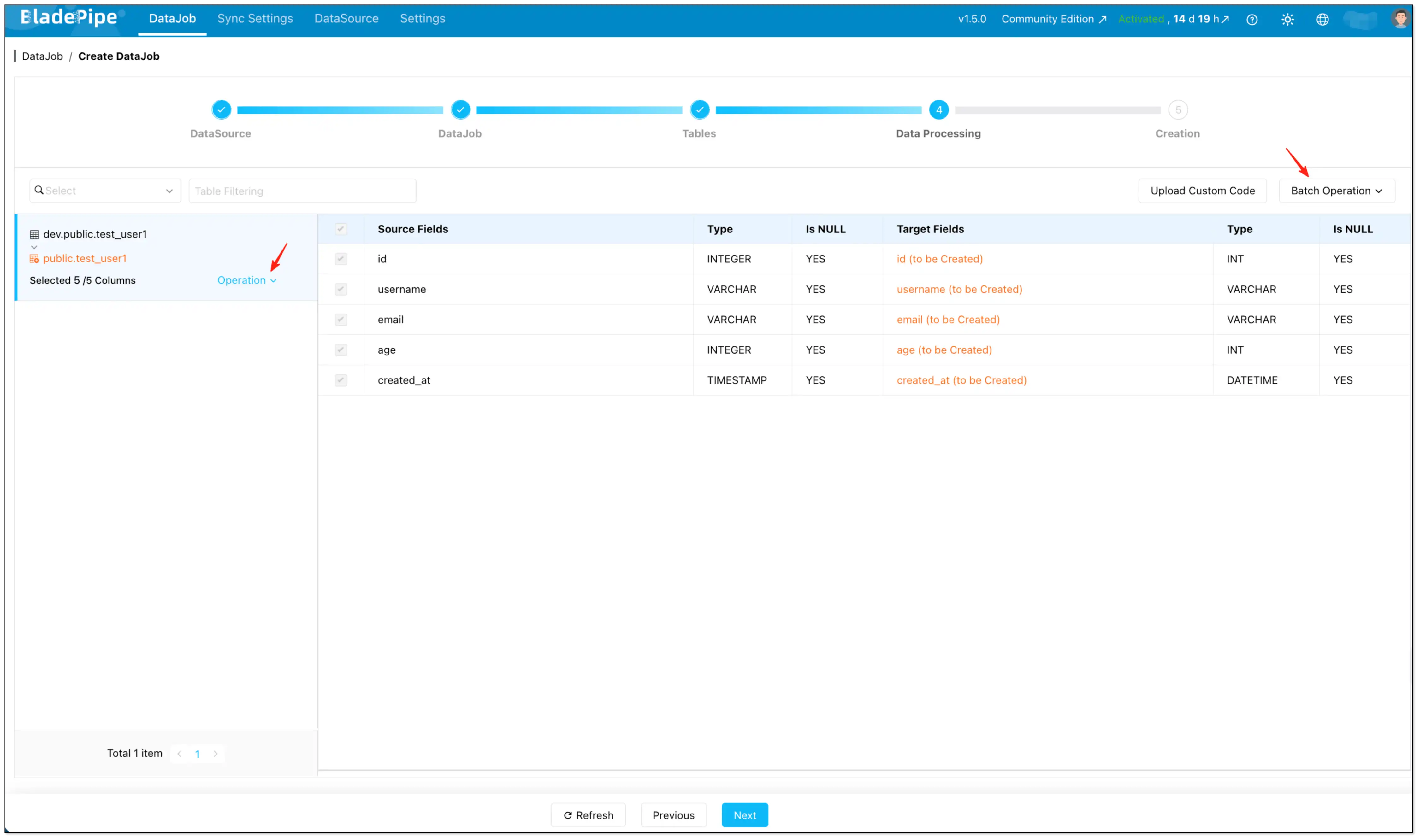
- On the Data Processing page, select the columns you want to migrate.
- Configure Incremental Field:
- Set individually: Operation → Incremental Field (per table)
- Set in batches: Batch Operation → Incremental Field
If you skip Incremental Field, BladePipe performs a full table scan on every cycle (useful for snapshot-style refreshes).
Step 6: Confirm and create
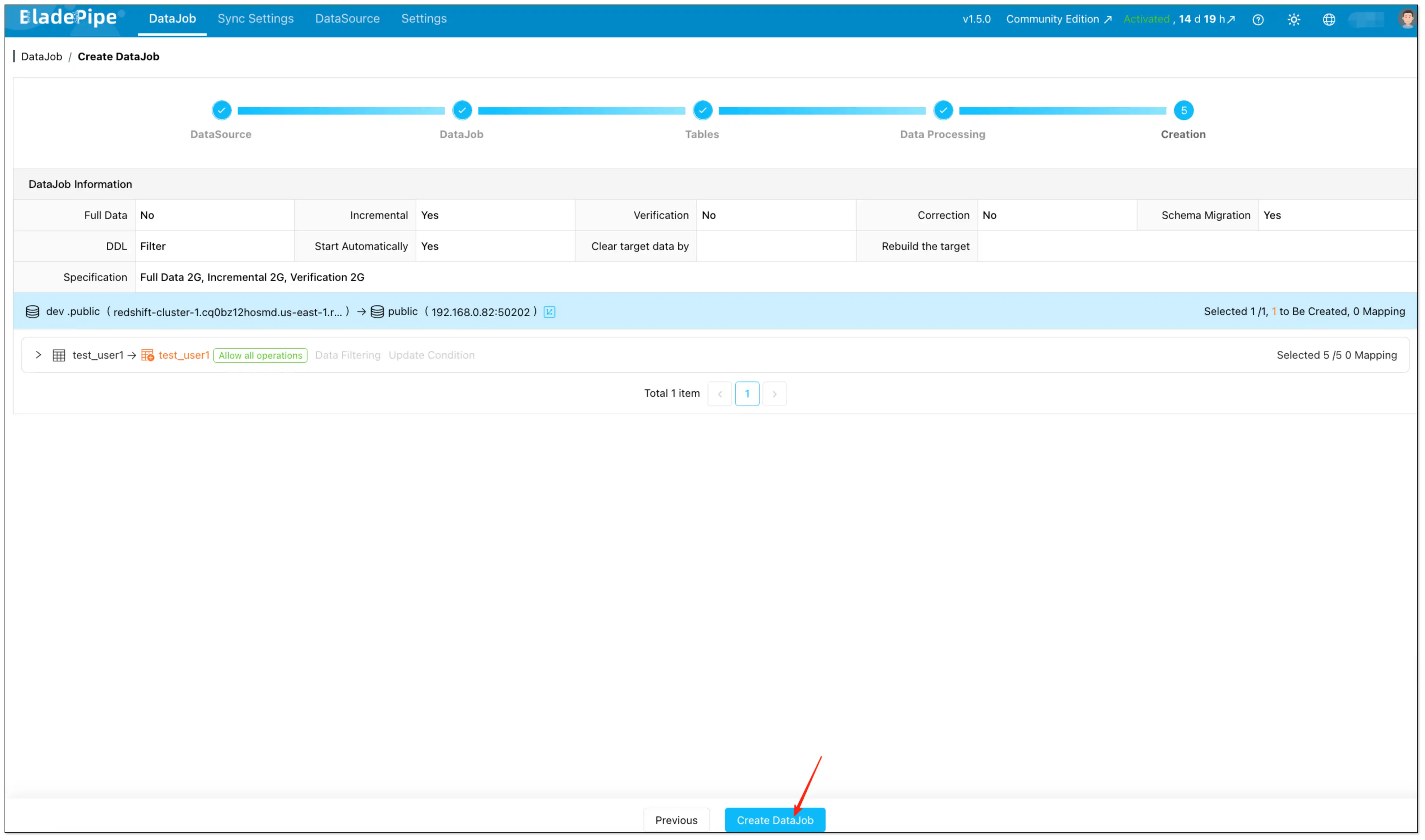
- On the Creation page, verify the settings.
- Click Create DataJob.
Recommended settings for Redshift → MySQL Reverse ETL
These settings keep your Redshift to MySQL incremental sync stable and easy to operate.
Interval
- Start with 300 seconds (or larger) and reduce gradually after the pipeline is stable.
Pre-execution action
- Incremental Reverse ETL (with Incremental Field): choose None.
- Snapshot-style refresh each cycle: choose Truncate Target and skip Incremental Field.
Incremental Field selection
Pick a time column that is:
- Updated on every relevant change (not just on inserts).
- Monotonically increasing enough for your use case (avoid ambiguous timestamps if you update many rows at the same instant).
- Consistent in timezone and semantics (store UTC if possible).
Common pitfalls in Redshift to MySQL incremental sync (and fixes)
Incremental sync missed updates
Most of the time, the cause is the Incremental Field:
- It isn't updated on UPDATEs.
- It uses a time source with inconsistent timezone/precision.
- It is nullable or not strictly comparable across rows.
Fix: ensure updated_at (or your chosen time field) is set by the application/ETL reliably for every change that should be propagated.
Deletes don't show up in MySQL
This is expected for Incremental Field scans: hard deletes can't be discovered by scanning existing rows.
Fix options:
- Implement soft deletes and sync the delete flag/time.
- Switch to Truncate Target full refresh per scan for small tables where deletes must be mirrored.
The sync is correct, but downstream reads are inconsistent
This is typically a modeling/consumption concern:
- Use a dedicated target schema/table naming convention.
- Consider syncing into "shadow" tables then swapping at the application layer (if your serving architecture supports it).
Late-arriving updates don't show up when you expect
If upstream pipelines write to Redshift in batches, updates may arrive after a scheduled scan has already run.
Fix options:
- Increase the scan interval to match upstream batch cadence.
- Ensure your Incremental Field reflects the business update time you care about (not an earlier event time).
FAQs
Why can't I see the "Incremental Field" option?
Either the selected pipeline doesn't support it, or the selected column type isn't supported for that pipeline. For Redshift → MySQL Scheduled Scan, the Incremental Field type is Timestamp.
Can I run Scheduled Scan without an Incremental Field?
Yes. Without an Incremental Field, the job becomes a periodic full scan/refresh workflow.
How do I know my DataJob is running in Scheduled Scan mode?
In the DataJob list and details page, Scheduled Scan jobs show a distinct "clock" icon so you can quickly identify the sync mode.
Can I change the scan interval later without recreating the DataJob?
Yes. Scheduled Scan is designed around a configurable interval. Update the interval to tune freshness vs load after the pipeline is stable.
Does Scheduled Scan require CDC on Redshift?
No. Scheduled Scan is a scan-based Reverse ETL approach: it reads data from Redshift on a schedule and writes to MySQL.